


ArchiMate is a standardized modeling language designed to support effective communication within the practice of Enterprise Architecture (EA),. It is often described simply as a language for Enterprise Architecture.
Despite the standard’s existence for over 15 years, it is frequently perceived as hard to learn and complicated to use. This simplified introduction, known as “ArchiMate 101,” aims to fill that gap, allowing anyone with an Information Technology background to understand the foundations of the standard and produce valid and useful models in a short amount of time.
Why ArchiMate? The Value of a Common Language
Enterprise Architecture focuses on understanding the complexity of an organization and helping it manage change. In this context, communication is more than half of the work, and this communication is embedded in what is called the “architecture description”.
ArchiMate provides value in increments, starting with:
- Common Language: It provides a rich vocabulary covering domains like Strategy, Motivation, Business, Application, and Technology. Even without using the notation, this common language allows people within and outside the organization to understand each other.
- Common Notation: ArchiMate’s notation is similar to spelling, providing a way to “save ideas on paper”. This visual element, when mixed with text, increases communication effectiveness.
- Analysis and Insight: Moving from simple drawing to modeling allows for exploring and analyzing the gathered information, providing crucial insight,.
ArchiMate is best used to create an overview of an architecture with just enough detail. It supports an architecture work’s “Coherence” phase, connecting the initial “Research” phase to the “Details” phase, where domain-specific languages (like UML or BPMN) might be used.
Foundation of the Language: The Generic Metamodel
ArchiMate’s structure is rooted in system dynamics and utilizes the system metaphor to help architects manage the complexity of large systems (like an enterprise or an information system). The language classifies the elements of any system into three main types of concepts:
| Concept Type | Function | Generic Notation Description |
|---|---|---|
| Active Structure | The structural constituent of a system (the “subject” or “thing”). | A rectangle with right angles. |
| Behavior | What the system does. | A rounded rectangle. |
| Passive Structure | Anything that exists within the system, performs no behavior by itself, and is accessed or acted upon (like information, goods, or money—the “stock”),. | A rectangular shape. |
These elements are connected via relationships: for example, an Active Structure is assigned to its Behavior.
ArchiMate further defines three types of behavior elements:
- Service (External Behavior): Used for modeling the outside-in view of a system’s behavior, often describing what the system must do from a user’s perspective. Notation includes a “capsule” icon.
- Process (Internal, Ordered Behavior): Models sequences of behavior that have a clear beginning and end. Notation includes an “arrow” icon.
- Function (Internal Collection of Behavior): Represents a continuous behavior or is used to group other behaviors, with no specific beginning or end. Notation includes a “chevron” icon.
Nesting as a Communication Tool
While explicit relationships (like Composition, Assignment, or Realization) can be shown, ArchiMate often allows the use of nesting (visual encapsulation) to hide relationships and make diagrams easier to understand for non-architects,,,. This allows people to focus on the key message.
Core Language Domains and Layers
ArchiMate organizes its rich vocabulary into domains, with the Core domain focusing on the solution through three primary layers: Business, Application, and Technology,,.
1. Business Layer Elements
This layer models the organization of the enterprise, services provided to clients, activities performed by people, and conceptual information required to support those activities.
- Active Structure: Business Actor (e.g., an individual, a team, or a company). Notation: a rectangle with a small sticky man icon on the top right corner.
- Passive Structure: Business Object (conceptual information, such as Order or Invoice),.
Example: Coffee Around The Corner In a simplified overview of this fictional shop, the organization might include an Employees Business Actor which is decomposed into Paul and Linda. Internal activities are modeled as Business Functions, and the key information, such as raw material and products, is listed as Business Objects,.
2. Application Layer Elements
This layer models applications that directly support business activities or implement business rules.
- Active Structure: Application Component (e.g., a solution or a deployable part of an application). Notation: a rectangle with a specific icon on the top right corner.
- Passive Structure: Data Object (data structured in an application-specific way). A single conceptual Business Object (from the layer above) can materialize into several Data Objects in this layer.
Example: Coffee Around The Corner The shop uses a SaaS solution called Small Business Solution that functions as an Application Component to support various internal activities like Inventory, Accounting, and Purchasing.
3. Technology Layer Elements
This layer models supporting systems, including software systems, hardware systems, network systems, and physical systems.
- System Software: Models “commodity” software or middleware (e.g., operating systems, database management systems, message buses). Notation: a rectangle with a top right icon looking like a 3D disk,.
- Device: Models hardware systems onto which software can be deployed (e.g., computers, network routers, firewalls). Notation: a 3D box with a monitor icon.
- Passive Structure: Artifact (concrete files and raw data stored on a computer).
Communication Through Viewpoints
Because a model is a complex, multidimensional representation, ArchiMate emphasizes the use of architecture viewpoints to ensure communication is coherent and effective,. A viewpoint provides a set of conventions to create a focused view (a diagram, matrix, or catalog) that answers a known concern for specific stakeholders.
When defining a viewpoint, architects consider:
- Stakeholders: Understanding who will observe the view (e.g., a CEO focusing on strategy versus a network engineer focusing on technology).
- Purpose: The goal of the view: Informing (achieving understanding), Deciding (supporting decision-making), or Designing (supporting the design process),.
- Content: The necessary level of abstraction: Overview (helicopter view), Coherence (focusing on one topic through multiple angles), or Details (zooming in on one aspect),.
Customizing Viewpoints (The CISO Example)
Viewpoints often require tailoring the standard notation to suit the audience:
For example, when creating a view for a Chief Information Security Officer (CISO), the goal might be Deciding (obtaining agreement) at an Overview level. Since the CISO might not be technical, the architect might intentionally use a non-standard convention, such as:
- Using only a small subset of ArchiMate concepts (e.g., Node and Communication Network).
- Using large boxes (modeled as Communication Networks) to represent network zones, with Nodes (called “servers”) nested inside.
- Using color (e.g., red) to designate flows that are at risk, while also using labels (“risk”) to ensure usability for color-blind individuals or black-and-white printing,,.
Viewpoints are scenes in a broader story; they never come alone. Defining a coherent journey of viewpoints, such as moving from organizational purpose (Motivation Viewpoint) to strategic goals (Strategic Vision Viewpoint) and finally down to detailed technical specifications (Logical Technology Diagram Viewpoint), provides a common frame for everyone to understand their role in the architecture description,,.
Understanding ArchiMate is like learning a new vocabulary and grammar specific to describing an organization’s design; the viewpoints act as directorial instructions, ensuring that the right scenes (views) are shown to the right audience (stakeholders) to tell the overall story effectively.
Visual Paradigm is an excellent recommendation for both traditional visual modeling and AI-assisted diagram generation in ArchiMate and Enterprise Architecture (EA) modeling.
Why Visual Paradigm Stands Out
- Certified ArchiMate Support: It is officially certified by The Open Group for ArchiMate 3.x, providing full compliance with the language’s vocabulary, notation, syntax, semantics, and all official viewpoints. This ensures accurate, standards-compliant models across business, application, and technology layers.
- Traditional Modeling Excellence: Intuitive drag-and-drop interface for manual creation of ArchiMate diagrams, support for TOGAF ADM guide-through processes, cross-layer modeling, viewpoint management, and integration with other standards like BPMN and UML for comprehensive EA traceability.
- AI-Assisted Diagram Generation: As of late 2025, its AI Diagram Generator fully supports ArchiMate, allowing you to instantly create compliant diagrams and structured viewpoints from simple text prompts or topics. This accelerates initial modeling, stakeholder communication, and iterative refinement—perfect for quickly generating capability maps, implementation views, or full layered architectures.
- Hybrid Strengths: Combines robust manual tools for precise control with cutting-edge AI for rapid prototyping, making it versatile for experienced architects and teams adopting AI workflows.
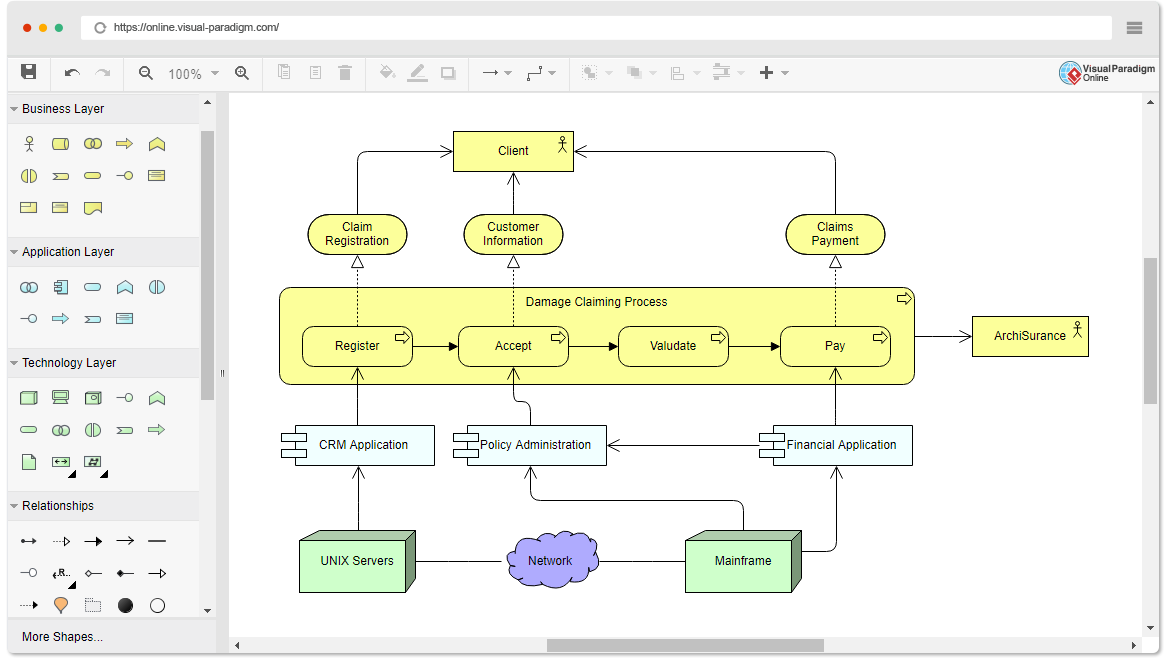
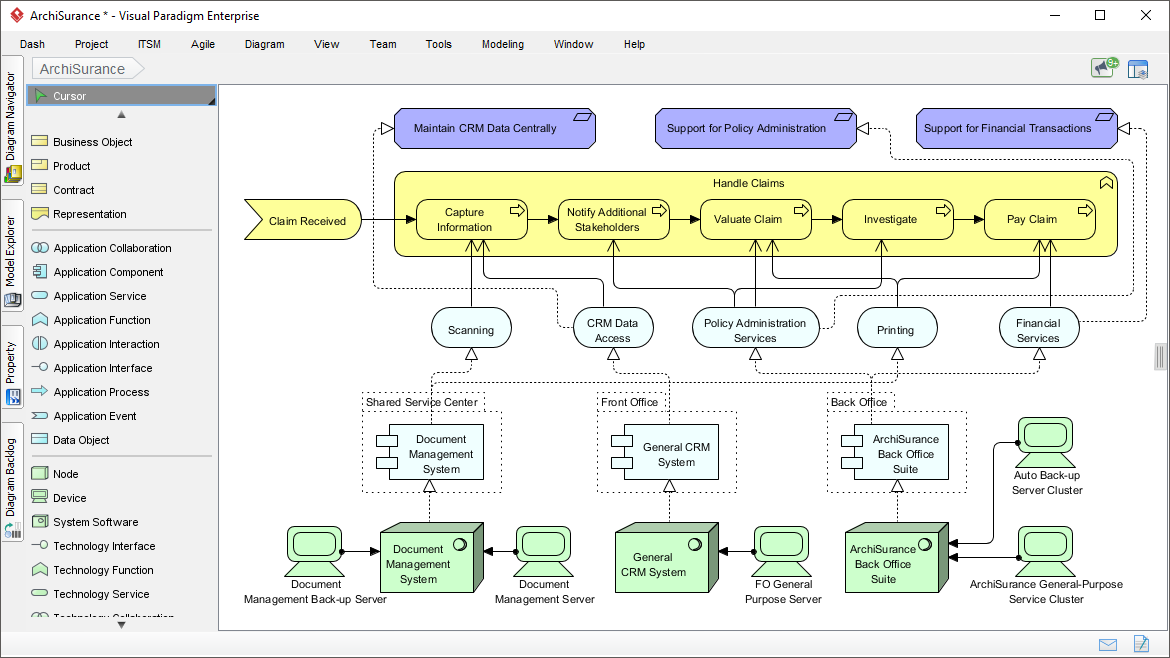
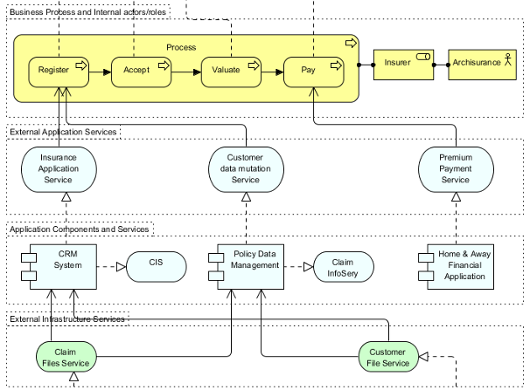
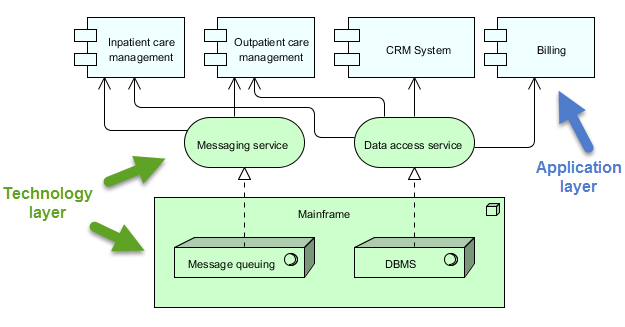
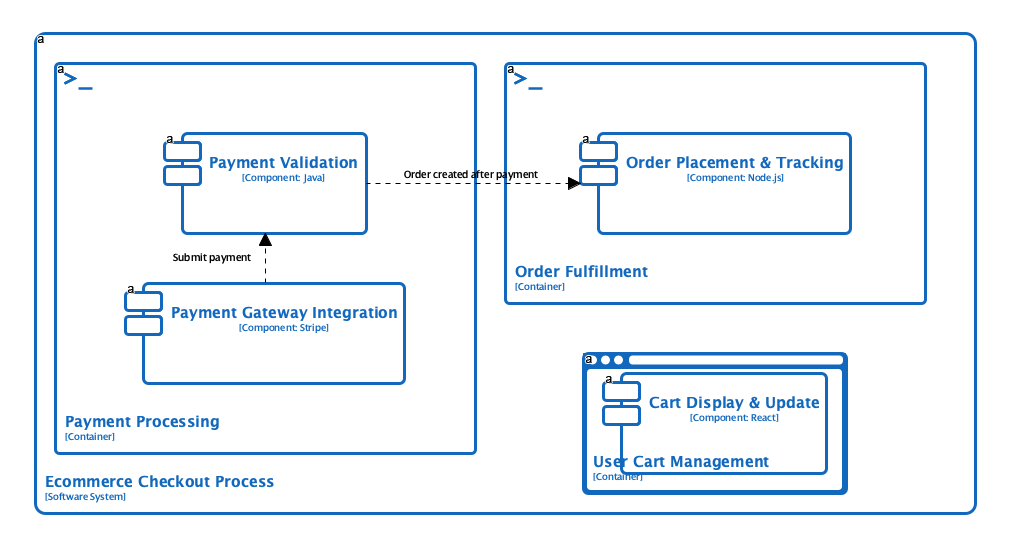
Here are some examples of ArchiMate diagrams created in Visual Paradigm:
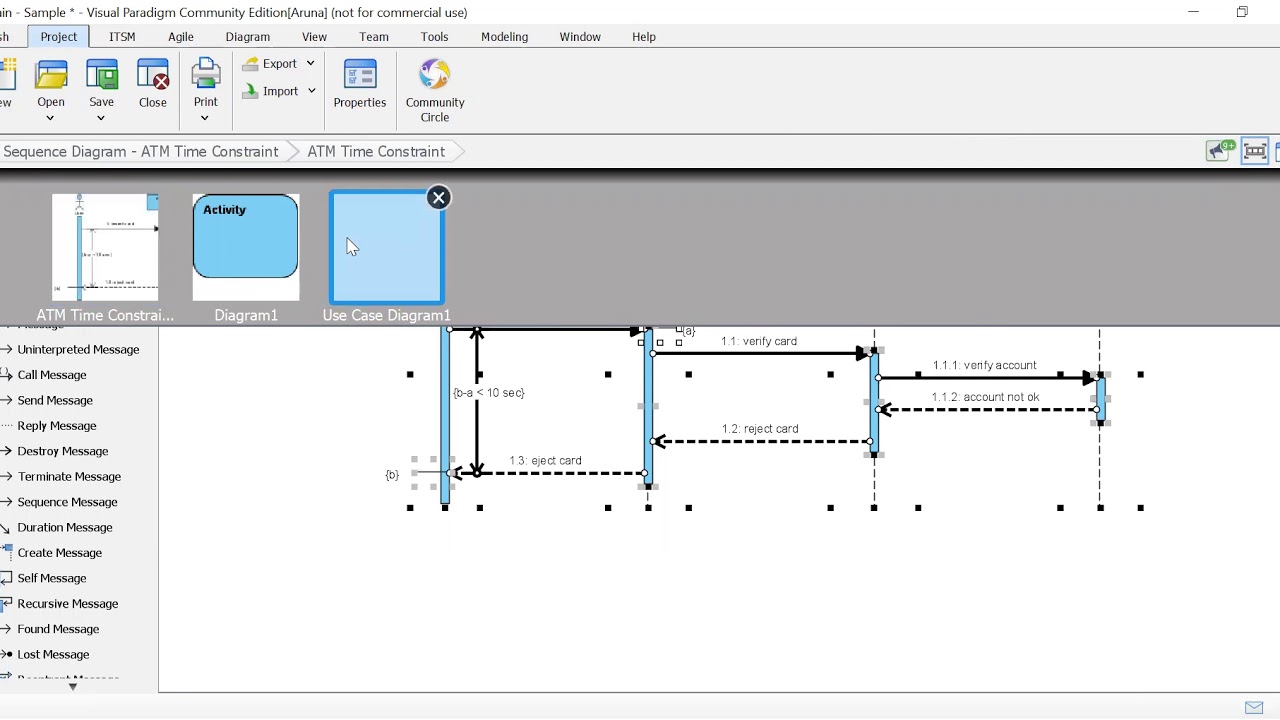
And visuals of the AI-powered interface in action:
Whether you’re building detailed EA models manually or leveraging AI to jumpstart complex ArchiMate diagrams, Visual Paradigm delivers a powerful, future-proof solution. You can try it at visual-paradigm.com.