
ArchiMate is an open and independent enterprise architecture modeling language developed by The Open Group. It provides a standardized way to describe, analyze, and visualize relationships among business domains in an unambiguous manner. This guide explores the value proposition of ArchiMate in detail, structured around its three key increments: as a common language, a common notation, and a tool for analysis and insight. Based on these foundations, we’ll also discuss how to leverage Visual Paradigm—a certified ArchiMate 3 tool—for traditional visual modeling and its integrated AI capabilities to streamline processes and enhance team productivity.
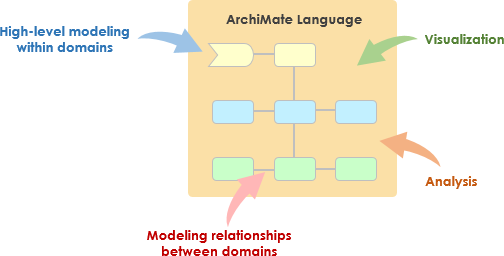
1. ArchiMate as a Common Language
At its core, ArchiMate establishes a shared vocabulary that bridges gaps between diverse stakeholders, ensuring everyone involved in enterprise architecture (EA) speaks the same “language.” This foundational value improves communication, reduces misunderstandings, and aligns efforts across the organization.
Key Features
The following table summarizes the primary features of ArchiMate as a common language, with descriptions and examples:
| Feature | Description & Example | Citation |
|---|---|---|
| Rich Vocabulary | ArchiMate offers a comprehensive vocabulary spanning multiple domains, such as Strategy, Motivation, Transformation, Business, Application, and Technology. For instance, it distinguishes between “Business Processes” (what the business does) and “Application Components” (software supporting those processes), allowing precise discussions. | |
| Structured Grammar | Modeled after natural language (subject-verb-object), ArchiMate describes entities and their interactions. It emphasizes an external, service-oriented view, e.g., a “Business Service” provided by a “Business Process” to a “Business Actor.” This structure makes it intuitive for non-experts. | |
| Stakeholder Understanding | Even without diagrams, the vocabulary fosters mutual understanding. Internally, teams can align on terms; externally, when hiring consultants, you can request “ArchiMate-proficient architects” to ensure compatibility. |
By adopting this common language, organizations minimize ambiguity in architecture descriptions, leading to better decision-making and collaboration.
2. ArchiMate as a Common Notation
Building on the language, ArchiMate’s notation acts as its “spelling,” enabling the visual representation and sharing of architectural ideas. This increment focuses on standardization while allowing flexibility for effective communication. The notation combines visuals and text to create impactful architecture descriptions.
Visual Standardization
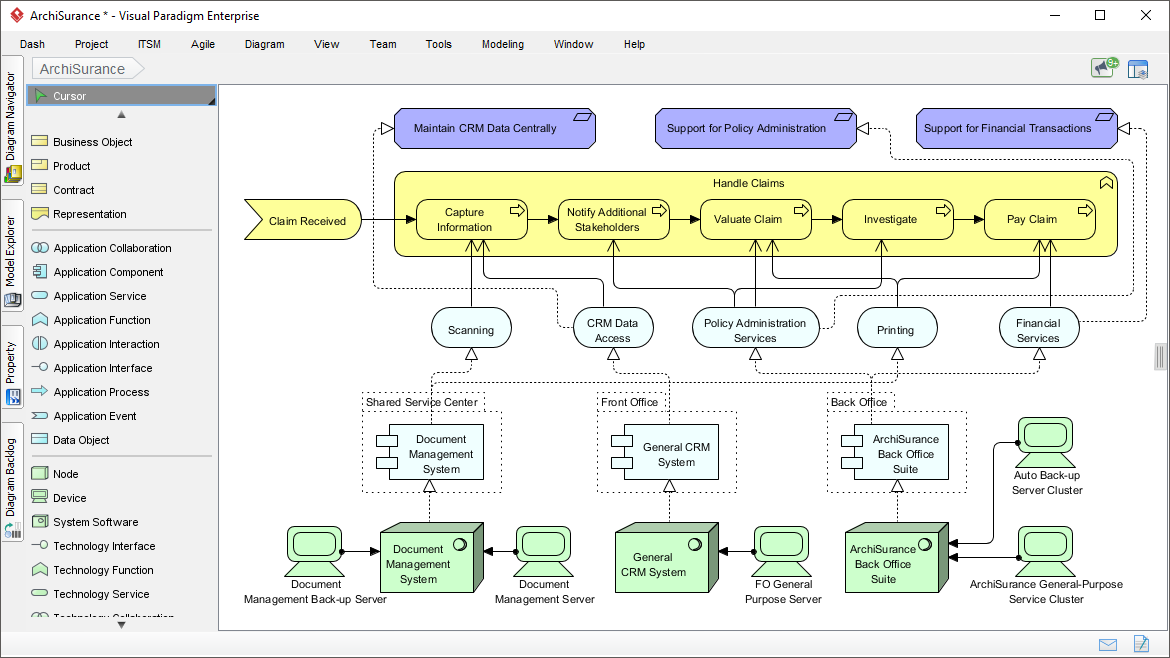
- Element Shapes: Active Structure elements (e.g., Business Actor or Application Component) are depicted as sharp-cornered rectangles, symbolizing “things.” Behavior elements (e.g., Business Process) use rounded rectangles, representing actions. Passive Structure elements (e.g., Business Object) are rectangles with a folded corner, denoting information or data.
- Relationships: Lines like arrows or dashed lines indicate associations, such as “serving,” “realization,” or “composition,” providing a clear grammar for connections.
Supporting Tools and Flexibility
While initial sketches can be done on whiteboards or basic drawing tools, complex architectures require dedicated modeling software to manage information volume and ensure consistency. ArchiMate’s notation integrates well with tools for maintenance.
- Flexibility: The standard notation can be adapted for audiences. For example, simplify shapes or use colors (e.g., red for risks) while adding labels for accessibility.
- Viewpoints: These are predefined perspectives that guide what to include or exclude in a diagram. For a CISO, an “Overview” viewpoint might focus on security risks, using simplified elements like nested “Communication Networks” (as boxes) containing “Nodes” (servers). This non-standard nesting clarifies relationships without overwhelming the viewer.
The notation’s true value lies in communication, not rigidity—adapt it to ensure stakeholders grasp the architecture for informed decisions.
3. ArchiMate for Analysis and Insight
Beyond description, ArchiMate enables formal modeling for deeper exploration, coherence checks, and insights. This advanced increment transforms static diagrams into analyzable models, supporting the full architecture lifecycle.
Coherence and Linking
ArchiMate excels in the “Coherence” phase, where architects refine questions and explore solutions. It maintains an enterprise overview by linking layers:
- System Metaphor: Divides the enterprise into Active Structure (components), Behavior (actions), and Passive Structure (data). This allows querying models, e.g., “Which applications realize which business processes?”
- Architecture Journeys: Create linked viewpoints, starting from Motivation (e.g., organizational goals) and progressing to Core Layers (e.g., applications supporting processes). This “glue” connects disparate elements.
Analysis Capabilities
- Impact Analysis: Trace changes, like how updating a Technology Infrastructure affects Business Services.
- Querying and Reporting: Formal models support automated queries for gaps, redundancies, or optimizations.
- Insight Generation: By enforcing structured descriptions, ArchiMate reveals hidden relationships, aiding strategic decisions.
This analytical power is often underappreciated but crucial for evolving architectures.
Leveraging Visual Paradigm for ArchiMate Modeling
Visual Paradigm is a comprehensive, AI-powered platform certified for ArchiMate 3, offering both traditional visual modeling and advanced AI features. It streamlines ArchiMate processes by reducing manual effort, ensuring consistency, and boosting team productivity. Here’s how to make the most of it:
Traditional Visual Modeling Capabilities
Visual Paradigm provides a robust, user-friendly environment for manual ArchiMate diagram creation:
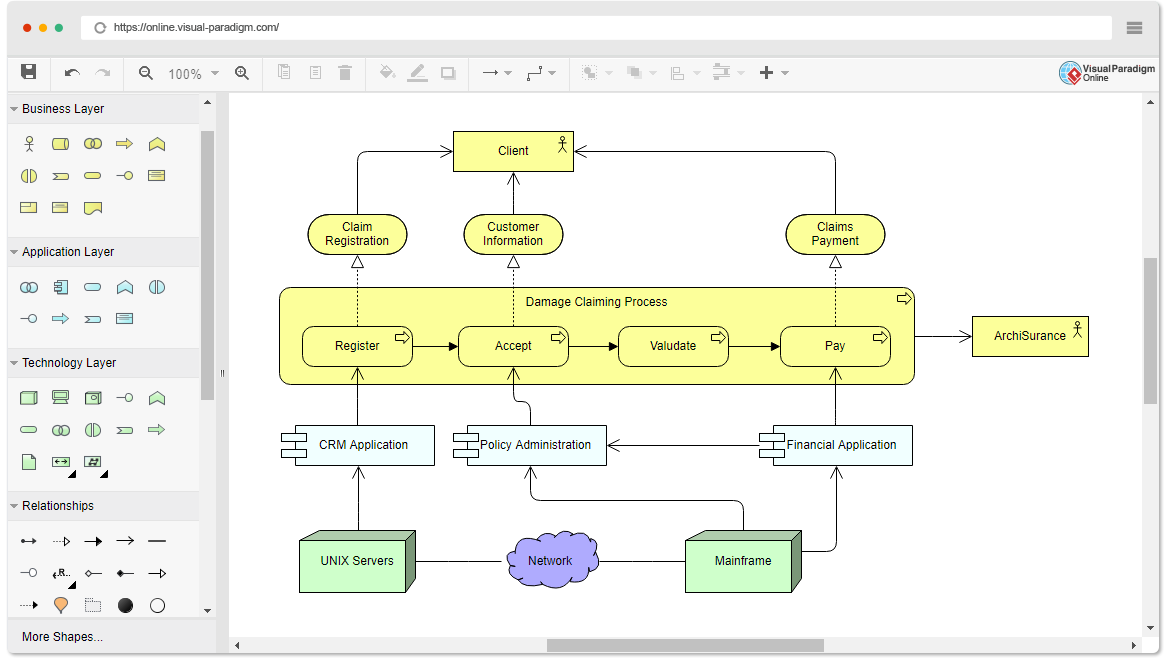
- Full ArchiMate Support: Access all vocabulary, notation, syntax, and viewpoints (e.g., Strategy, Business, Application, Technology). Drag-and-drop elements to build diagrams like Layered Views or Motivation Models.
- Tool Integration: Use repositories for version control, collaboration, and reuse of elements across projects. Import/export to standards like XML for interoperability.
- Customization: Apply colors, labels, and nesting for audience-specific views. Generate reports or matrices for analysis.
- Workflow: Start with sketches in the free online tool, then import to the desktop edition for advanced editing. This supports iterative refinement, from elicitation discussions to final models.
To streamline: Teams can assign roles (e.g., one models Strategy, another Technology) and merge via the repository, reducing silos and maintenance burdens.
Integrated AI Capabilities
Visual Paradigm’s AI engine revolutionizes ArchiMate by automating generation and refinement, saving time and enhancing accuracy:
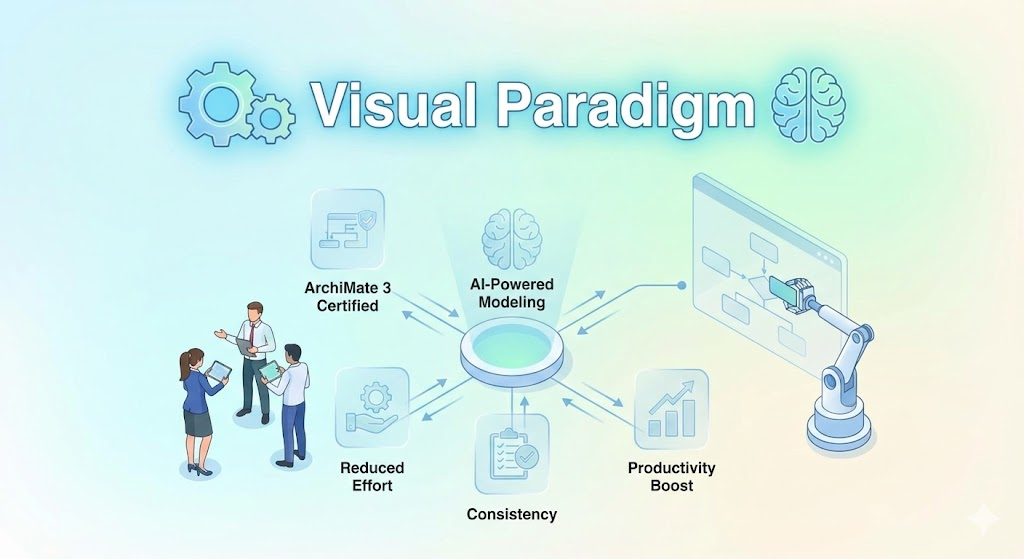
- AI Diagram Generator: Describe requirements in natural language (e.g., “Generate an ArchiMate viewpoint for CISO showing network zones and risk flows”), and it instantly creates diagrams with official viewpoints. Supports multi-layer models, like linking Motivation to Application.
- AI Chatbot: Interact via chat to generate, refine, or analyze models. For example, say “Model a business process supporting customer onboarding with applications,” and get a complete ArchiMate diagram. It handles complex concepts, performs impact analysis, and suggests optimizations.
- Automation Features: AI auto-generates user stories, flowcharts, or class diagrams that integrate with ArchiMate. For analysis, query models (e.g., “Identify redundancies in technology layer”) for insights.
- Productivity Enhancements:
- Speed: Reduce diagram creation from hours to minutes, allowing focus on analysis.
- Collaboration: AI-generated drafts serve as starting points for team reviews, minimizing errors from manual entry.
- Learning Curve: AI assists beginners by suggesting standard notations, while experts use it for rapid prototyping.
- Integration: Combine AI with traditional tools—generate via AI, then manually tweak for custom viewpoints.
To enhance productivity: Integrate AI into workflows by starting with text descriptions from stakeholder meetings, generating initial models, then collaborating in real-time. This cuts iteration cycles, ensures coherence, and scales for large teams. For example, in a transformation project, AI can quickly visualize “as-is” vs. “to-be” architectures, facilitating discussions and decisions.
By combining ArchiMate’s strengths with Visual Paradigm’s tools, organizations achieve efficient, insightful EA practices that drive business value. For more details on Visual Paradigm, visit their official site.